Participant Payment Setup Flow
When a participant enrolls, PIOPAC Fidelity sends them a secure, personalized link to set up their payment method for insurance premium drafts. The link guides them through the steps below.
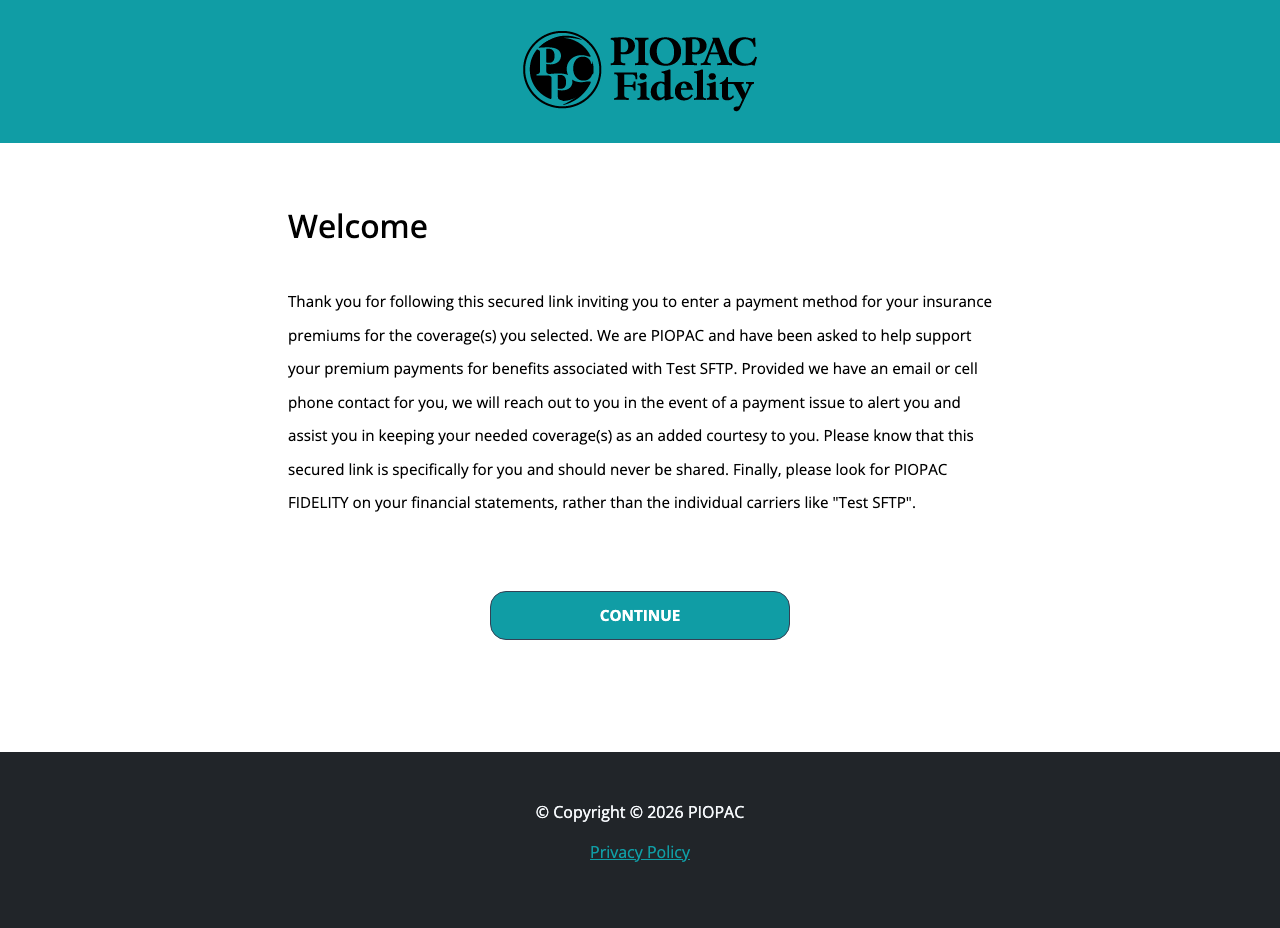
Step 1 — Welcome
The participant opens their link and sees a welcome message explaining who PIOPAC Fidelity is, which group their coverage is associated with, and that their link is personal and should not be shared.
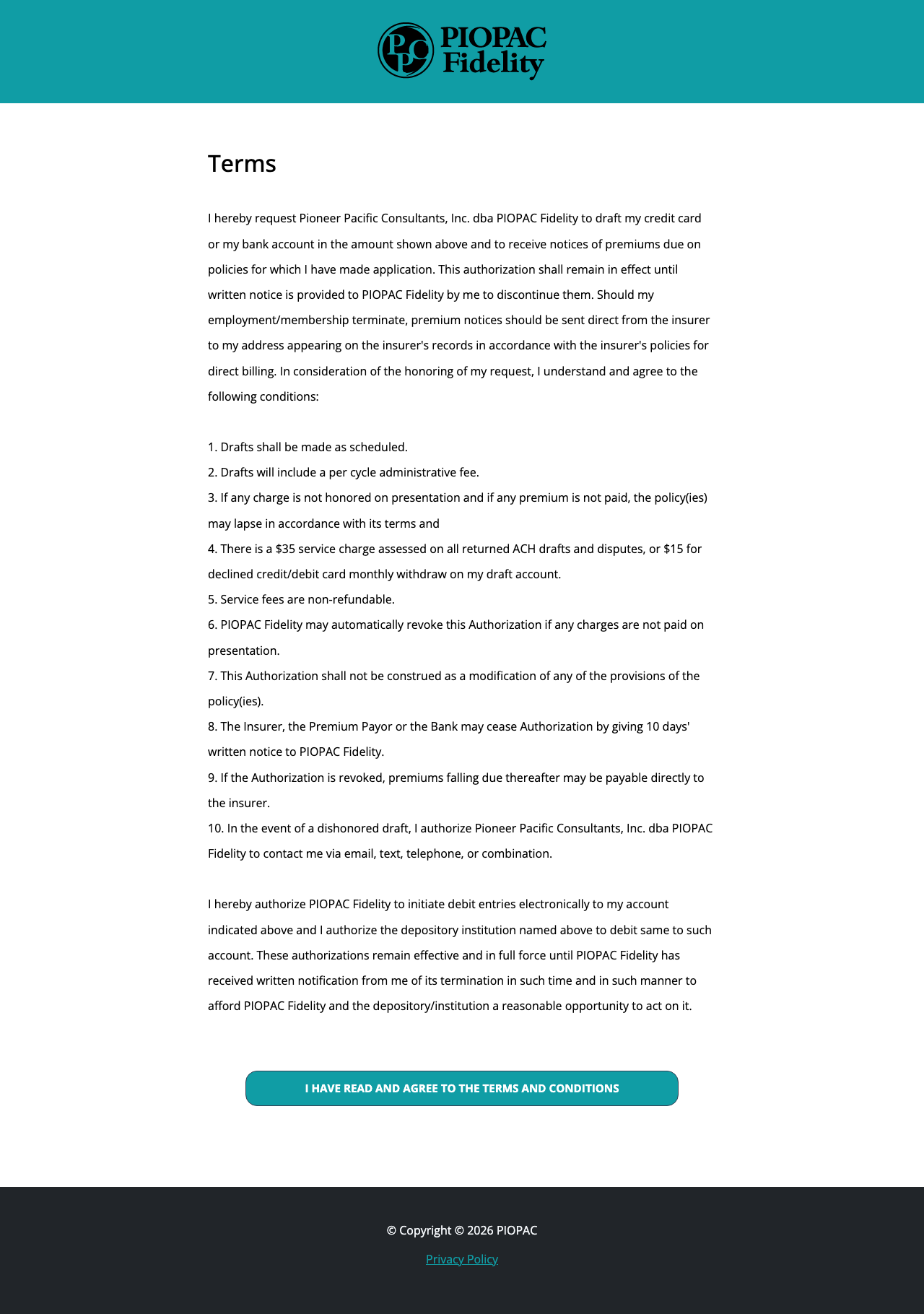
Step 2 — Terms & Conditions
Before entering payment information, the participant reads and agrees to the authorization terms for recurring premium drafts.
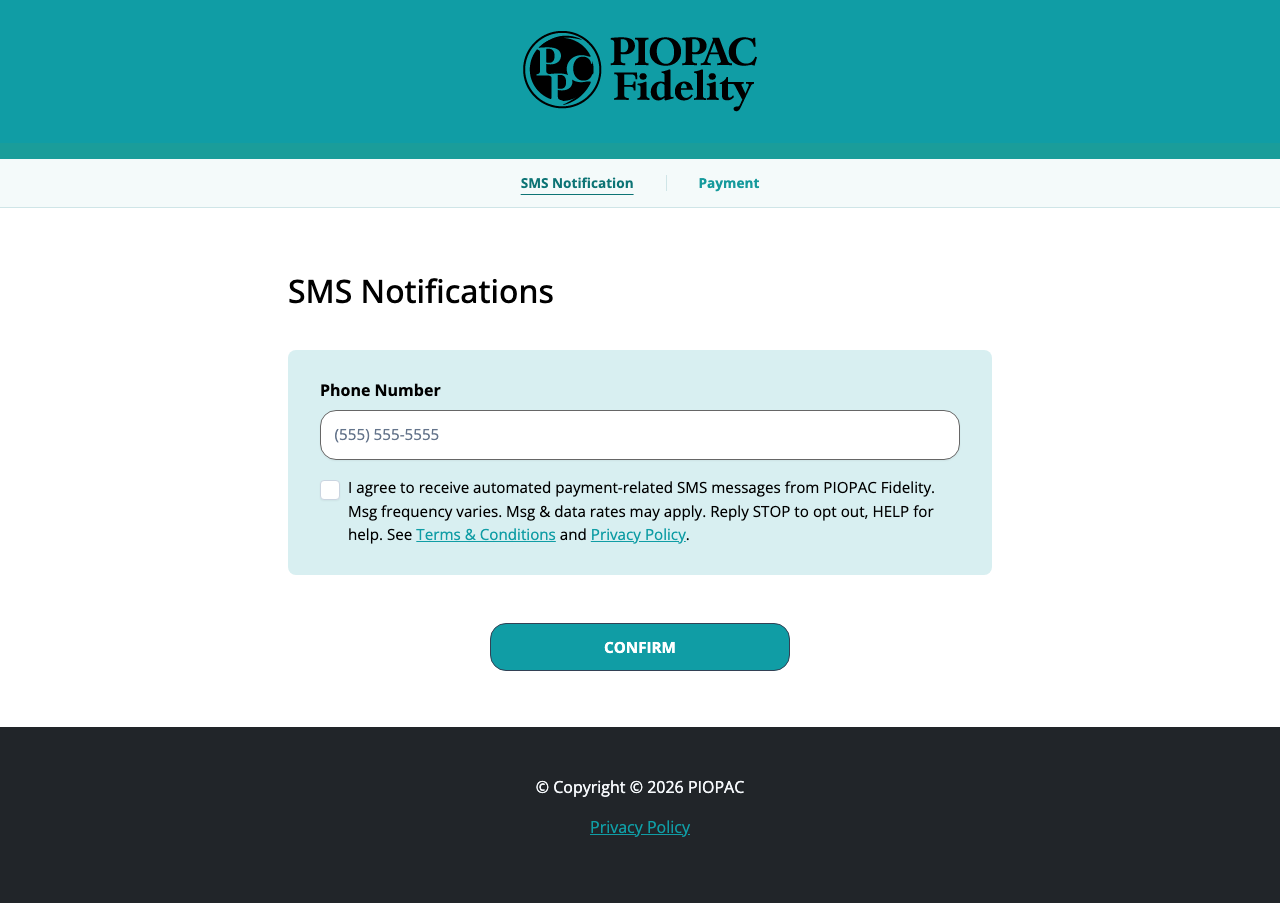
Step 3 — SMS Notifications
The participant enters their phone number and may opt in to SMS notifications. Opting in is voluntary. This screen is also accessible at any time from the navigation menu at the top of the page.
The opt-in consent text shown to the participant reads:
I agree to receive automated payment-related SMS messages from PIOPAC Fidelity. Msg frequency varies. Msg & data rates may apply. Reply STOP to opt out, HELP for help. See Terms & Conditions and Privacy Policy.
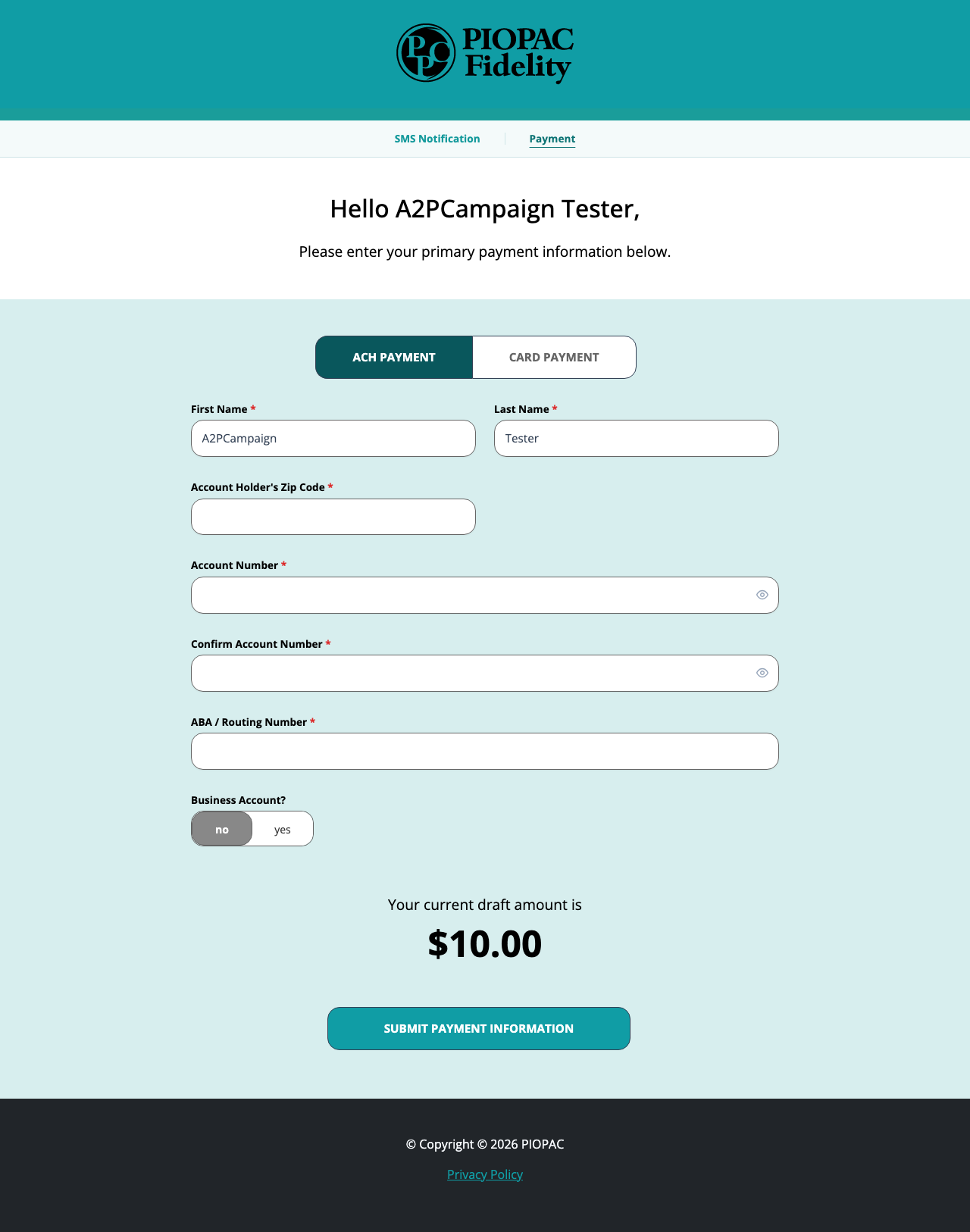
Step 4 — Payment Form
The participant enters their payment method to authorize recurring premium drafts. The SMS Notification screen remains accessible via the navigation menu at the top of the page.